
![[Home!]](../../images/mighty_etx_logo_orig-sm.jpg)
AUTOSTAR FEEDBACK
Last updated: 31 July 2012
Welcome to the AutoStar feedback page. This page is intended to provide user comments on using the Meade Autostar #494, #495, #497, #497EP, AudioStar, cables, and AutoStar updater software. See the AutoStar Info page for information from Meade and other users on the AutoStar, cables, and software. Send your comments and tips to etx@me.com for posting. Please use an appropriate Subject Line on your message per the Site Email Etiquette. Thanks. Remember, tips described on this site may invalidate the warranty on your telescope or accessories. Neither the submitter nor myself are responsible for any damage caused by using any contributed tips.
Subject:	Update Audiostar for ETX
Sent:	Monday, July 30, 2012 21:28:23
From:	Clive and Terry (cliveandterry@clear.net.nz)
I live in New Zealand and I am a newbie to the world of telescopes. I
purchased a second hand ETX125PE and after a lot of minor problems
managed to get it working reasonably well, until the #497 handbox spat
the dummy. Having now replaced it with a new Audiostar every thing
worked straight out of the box following the usual setup. I then took
the opportunity to get the latest upgrade (PatchAUA17F) via the StarGPS
application. Not having a GPS device attached I deselected the GPS
component of the patch and proceeded to do the upgrade.

Following the upgrade I turned off the scope, powered back up and went
through a complete reset and retrain the drives etc. All worked OK until
the next time I turned on the scope - the boot up showed the correct
version and asked for the alignment process to be conducted and this is
where the problem starts. I proceeded to do an automatic alignment and
as soon as the motors started to move the scope, the system did a reboot
and back to the alignment process. I cannot get beyond this.

I have followed your site from day one of my introduction to telescopes
and I think the site is a lifesaver to a lot of people. Any help would
be greatly appreciated.

Regards
Clive Smith
Mike here: I wasn't aware there were patches available for the AudioStar. I'll let Dick Seymour address this issue.
And:
From:	richard seymour (rseymour@wolfenet.com)
I'm CC'ing Andrew Johansen on this one .... (in Melbourne, Australia...
the patch kits are a trans-planet exercise)

What firmware version was in the Audiostar *before* the update?

Usually a reboot-during-align is caused by an internal cabling problem
in the ETX (wire getting nicked by the moving gears) or a loose/flaky
power connection/cable.

I'll load my Audiostar with PatchAUA17F (without GPS) and see if it
hiccups on my ETX-90

watch this space...
--dick
And more:
Well, my first attempt did not reveal any problems.
(used StarPAtch to load kit, turned off only GPS, turned off power when asked,
turned back on, did Easy Align (Arcturus and Vega) here in Seattle  Jul 31, 8pm, DST=Yes)

So now i'll need to more completely mimic your setup....

Where are you? (nearest city, or Lat/Long... whichever you have told your Audiostar)
(i'll try Auckland)

Time and Date of setup test?
Do you remember which star(s) it was trying to slew to?
Have you tried other alignment methods? (One Star, for example)

If you skip the alignment, does the Audiostar seem to work (can GoTo, etc)?

Crux: how/why did your previous 497 "spit the dummy"?
If it died unexpectedly, that could also be a symptom of internal wire damage
(it happened to me...)

Also, to get you going again (if it's patch-related) you can use either
STarPatch or Meade's ASU to reload the Audiostar with an unpatched
version.
In StarPAtch, that means you would select BuildAUA1F7  instead of PatchAUA1F7

If need be, like the 497, you can invoke "Safe Load" (or "Bootload" as
the Audiostar calls it) by pressing and holding ENTER and Scroll Down
when applying power.

good luck
--dick
And:
2nd test: Auckland, 31 Jul, 8pm, DST=no.
Rigel Kent  and  Arcturus

No problems

(i do note that Arcturus has made the scope swing almost a full 360
degrees from the True North starting position.. so that's quite a lot of
cable excursion)

Note: i am NOT using a PE... i was using a "plain old ETX90"
I'll try again with an LNT viewfinder attached.

stay tuned...
--dick
And some:
3rd test, with LNT finder attached (so it would do an Automatic Alignment).

No problems.
(the finder had the wrong date/time pre-loaded, so it did it for 25th May 2012, 7pm,
and the 2nd star is Canopus, first star unknown)
Noted: unlike the 497, pressing "?" when it's prompting "Center Brightest Star"
does NOT display the desired star name... the 2nd line of the display
changes to "Automatic"

I'm going to try a few more kicks-of-the-can, but at the moment it looks
like a fault in Terry's specific telescope or power supply.

Example: 4th try: i used Utilities/Brightest Star to turn OFF that uninformative prompt.
Now it should tell me the specific star names that it wants.  I also set
the time to 31 Jul, 8pm.  As before (no LNT), it selected Rigel Kent and
Arcturus.  No problems.

good luck
--dick
And:
From:	Andrew Johansen (johansea@optusnet.com.au)
There are only 2 ways i can see for the scope to reboot.
1) The MUF ( Motor Unit Fault ) can trigger a reboot
but it will declare the MUF and you have to press a key to continue.
Thus you would notice it.
2) A flakey power connection or Hbx cable, that loses power
when the scope stars slewing.

To test 2) start the scope and before aligning, wiggle/push pull
the connectors in the Hbx and scope base, to see if it triggers the reset.
There is nothing in the patch that can trigger a reboot.

Other than that, al i can think of is there may be a cut/exposed wire
where it goes up through the bolt, and this intermittently shorts the power
and resets the scope???

Andrew
Subject:	Re: Training the pe125
Sent:	Saturday, July 28, 2012 14:00:47
From:	Brian King (lbking94@windjammercable.net)
Doing the cal sensor must have fixed  the problem. It worked great.
After slewing around the sky in a 360 twice going to bright stars it
slewed to within the 25mm lens every time. After all of that I did the
night tour and had a few problems with slewing to the planets first was
mars then saturn seeing them through the finder and using the controller
to get them in the middle of the lens it worked fine afterwards. Then I
slewed to Mizar and let it sit for about five minutes and had to use the
controller to recenter Mizar, then went to Arcturus dead center slew did
the same and had to recenter it also then went to Antares again dead
center slew let sit for five and had to recenter. I will most likely
redue the dec training. Other than that no problems. You are a genius
again thanks I certainly would not have figured it out. How I figured
out that it was about 14 degrees off of true north, when it was doing
the cal sensors I looked at when it was done slewing to north and got
that off of the ring and when it asks to center polaris at the end I
noticed the difference from true to magnetic.
Thanks Brian
Subject:	Training the pe125
Sent:	Friday, July 27, 2012 12:25:32
From:	Brian King (lbking94@windjammercable.net)
I have trained my PE 125 three times using the calibrate, train then
recalibrate. First I used a 13.8 mm lens no reticle. Then the next two
times I used a 12.5 reticled lens, all three times I used polaris as the
object. I had the slew speed set at one which took about five minutes to
slew back to polaris each time. What I am getting is the same amount of
error in the setup stars and when I slew to polaris or Mizar or Antares
almost the exact amount of error. I don't have the exact degrees or
minutes of error but it appears to be the same for all the stars. The
error is always down and to the left looking through the scope. I did
the calibration on seperate nights. My question is do you have any idea
of what might be happening? I also used the article by Victor Van Wulfen
on training and still had the same results. My thought was the clock
setting I am using a satelite set clock so I know that it is accurate.
Any help is appricated. Thanks Brian King
Mike here: Just to clarify, WHICH calibrate are you using? CALIBRATE SENSOR or CALIBRATE MOTOR? Also, knowing the amount of the initial pointing error for the first alignment star might help in the diagnosis. Once you center the first alignment star, is the second alignment star off by the same amount in the same direction as the first star? Lastly, are you mounted Alt/Az or Polar?
And:
Calibrate motors. Once the initial alignment star in centered the second
star is off by the same amount. All of them are low and to the left. I
am in the Alt/Az. Also when I slew to an object they are off low and to the
left.
Mike here: Do a CALIBRATE SENSOR. Will help the initial pointing. Also, be certain to check for the proper location, date/time/DST settings. Lastly, if doing an Auto Align, try an Easy Align (or vice versa).
And:
I have checked for the proper location date/time for PST. I have never
tried an easy align I have always done an auto align. What exactly is
the order for a calibrate sensor? Should I reset, cal motors and then do
another training and then cal sensors?
Mike here: CALIBRATE SENSOR just adjusts for your local Magnetic Variation. So the order of the other steps doesn't matter. CALIBRATE MOTOR "tunes" the AutoStar for the power level of the batteries (or external power source) and should be done whenever the power source is changed (including putting in fresh batteries). TRAIN DRIVES "tunes" the AutoStar for the precise movement of your gears. Ideally, do a CALIBRATE MOTOR, then TRAIN DRIVES (on both axes). If things are behaving oddly, do a RESET, CALIBRATE MOTOR, and TRAIN DRIVES. Remember to check the local site settings after a RESET. I suggest trying the Easy Align and see if the results are different. Remember that the HOME position is different for Easy Align vs Auto Align.
And:
What I will try is cal sensors and then try cal motors then an easy
align. Cal motors I have always had an external power source never used
batteries but I will do that again. If I thought that the time was out
of wack maybe the magnetic north was not right. When doing an auto align
I have noticed that it was quite a bit to the east of polaris so that
might do the trick. Doing a google search it says that at my location
its 14 degrees 27 minutes east variation. Can I stop the telescope
during the auto align and see if it appears to be about that far to the
east? Thanks for the advise if it isn't to windy tonight I will give it
a try.
Mike here: Auto Align should not be using Polaris as an alignment star.
And:
To find north it points toward polaris during auto align. I was
wondering during that process could I stop the telescope to see if its
in the vacinity of 14 degrees east of true north?
Mike here: During the level-north finding, the LNT may not actually stop when the tube is level or pointed north. So, trying to catch it when pointed north won't tell you anything.
And this:
Preliminary check it looks like the cal sensors has polaris at 14
degrees off of true north. Its still day light but setting the ring to
zero its just about right on at 14 degrees. When it get dark I can tell
better. Brian
Mike here: So doing the Cal Sensor will correct that offset.
Subject:	re: meade auto star cable question etx-70 to etx125ec
Sent:	Wednesday, July 25, 2012 18:14:35
From:	richard seymour (rseymour@wolfenet.com)
Mike didn't mention the 2nd possibility: if the complaining Autostar
*has* a numeric keypad, then it's a "495"... and that CAN be upgraded
(via firmware reload) to become a full-fledged 497, capable of operating
the ETX-125.

If it doesn't have a numeric keypad, then a recent poster to Mike's site
(Gunter Neutjens, in the note titled "etx 70 AT controller problems")
would probably love to buy it.

good luck
--dick
Subject:	RE: Autostar 497 , random characters being didplayed.
Sent:	Monday, July 23, 2012 16:21:40
From:	paul adamson (skyatnight@hotmail.co.uk)
Hi Mike, well I used internal power and managed to align and use the go
to  with success I then did a motor calibrate and trained the drive. The
next step was to go back to the power pack and yes it worked fine with
selected objects being in the center of or at least in the field of
view. I did notice the connection to the power pack was a bit wobbly so
used an elastic band to hold this in place this would fit in with the
possible loose connection theory, anyway thank you so much I would never
have thought of any of your solutions regards Paul Adamson
Subject:	re: etx 70 AT controller problems
Sent:	Sunday, July 22, 2012 21:04:20
From:	richard seymour (rseymour@wolfenet.com)
Mike wrote:
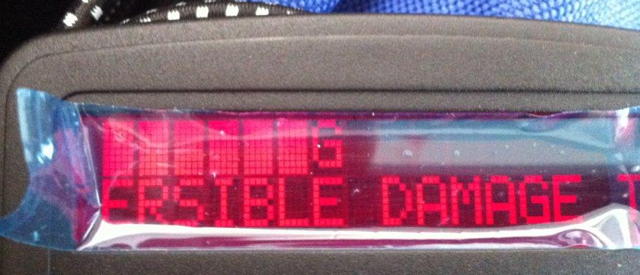
"I've never seen that "IRREVERSIBLE DAMAGE" message before."

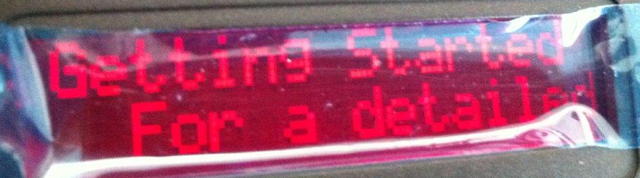
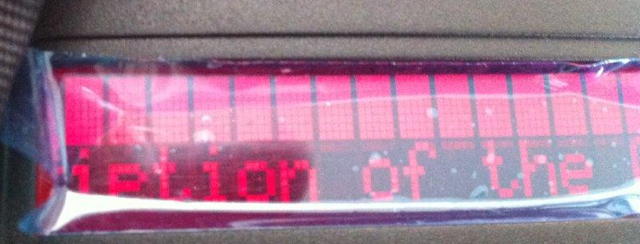
Sure you have... that's part of the old "don't look at the sun" power-up
warning message.
(the irreversible damage is what can happen to your eyes)

It's possible that the internal cable for the LCD display module is
loose in its socket or damaged, or that the LCD module itself is
slightly confused (such that the top line is always a line of blocks).

At least the ETX-70 can accept other 494 controllers... which are
usually fairly inexpensive ($40?) on the second-hand market.

good luck
--dick
Mike here: Oh yeah, THAT message! Been ages since I've thought about that message.
Subject:	meade auto star cable question etx-70 to etx125ec
Sent:	Sunday, July 22, 2012 15:44:51
From:	J. Scot Mackeil CBET (jsmackeil@yahoo.com)
i bought and etx-70 on CL just to get the lenses and autostar unit, yet
the autostar gives incompatibility message on the ext-125ec.  is it a
cable pin out issue?  would properly configured crossover cable do the
job?  or is it software in the auto star ?

fair winds, J. Scot Mackeil CBET, Plymouth Ma.
Mike here: If the ETX-70AT has the #494 AutoStar (no number keys on the keypad), it will not work with the ETX-125. You need a #497 AutoStar (has number keys) for the ETX-90, ETX-105, and ETX-125. For more AutoStar model compatibilities, see: http://www.meade.com/support/auto.html.
Subject:	Autostar Crash
Sent:	Saturday, July 21, 2012 08:27:14
From:	Glenn Davison (gdavison@cfu.net)
I have an ETX125PE that I had not used in about 4 years (long story) but
recently began doing some observing at the insistence of my grandson.

Yesterday, I decided to see if my Autostar needed any updates to the
software (I believe mine was v43Eg) and download some tours.  The
connection to the laptop and telescope was fine and I could interact
with Autostar using the latest ASU.  I proceeded to download in the
event there had been some fixes that were not addressed in my version.
Well, you might guess the rest of the story.  Somehow the download
clobbered my Autostar.  I was not in the room during this process so I
do not know what happened exactly.  The download somehow got interrupted
and the handbox went blank.

I searched your site and found the recovery procedure but it does not
work.  There continues to be no display on the handbox and ASU cannot
find Autostar.  Neither the scope or handbox is warm so I do not think
it is a component problem.  I checked all of the connections and
rebooted the laptop more than once.  The serial port parameters are
correct for ASU.  Basically, I am at an impasse.

Do you have any suggestions?  I know if I can at least get the firmware
message then I can reload the software.

I do intend to supercharge the scope and did not know if I need a
working handbox for that service.

I thank you in advance for your time and guidance.

Regards,

Glenn Davison
Mike here: The latest version for your AutoStar is 4.3Eg (which is what you think you already had). Try using StarPatch (from http://www.stargps.ca). If you are using a USB-serial adapter, be aware that not all work reliably with the AutoStar. StarPatch may work more reliably than the ASU program. You may still need to get the AutoStar info SAFE LOAD mode; be certain you are using the right key combination. However, it is possible that a corrupted upload, especially if interrupted before it completed (about 30 minutes with ASU), destroyed the SAFE LOAD code. As to the Supercharge, let Dr. Clay know if you can't restore the AutoStar.
And:
Unfortunately, the handbox does not respond with any message so can't be
located by the updaters.  Looks like the SAFE LOAD is gone.  Should I
proceed with the supercharge route?

Glenn
Mike here: I suggest contacting Dr. Clay and let him know about the AutoStar. He may be able to resurrect it.
And:
Thanks, Mike. I really enjoy your site, btw.
Subject:	etx 70 AT controller problems
Sent:	Saturday, July 21, 2012 04:40:04
From:	Gunter Neutjens (gunter.neutjens@skynet.be)
i've a question about my etx 70AT.

when i start de etx, there are only strang onjects on the
controller.....$$$$$########

is the controller broken or is it need a update or...?

Greetz

Gunter Neutjens
Belgium
Mike here: Try replacing the ETX batteries with fresh ones. Next, try doing a RESET; you may need to blindly follow the steps in the manual. Check the HBX cable connector and jack; look for dirty or bent pins. There is no user installer update for the AutoStar #494 (no number keys on the keypad). There could be other electrical causes but lets deal with the simple things first.
And:
i do not found anything how to reset in the manual...?

or do you need a cable to do this?

Gunter
Mike here: You can download a copy of the AutoStar #494 manual here: http://www.meade.com/manuals/TelescopeManuals/AutostarManuals/autostar494.pdf. Then look at Figure 9, the AutoStar Menu Tree. You will find the Reset there. If you want to try a "AutoStar RESET from Software" (article on the Helpful Information: AutoStar Info page) you will need a #506 serial cable (not easily made) and a RS-232 serial port on your computer. If your computer has only USB, you will need a USB-serial adapter. However, not all work reliably with the Autostar; see the article "AutoStar and USB" on the AutoStar Info page.
And:
i can't get in the menu to do a reset....:-(
And this:
0703 = at start up....then i pushed "speed" button...
0704 = screen after pushed speed button, so fo so good
0705 = normaly after 2 seconds on pushing enter you can set land/ region /
nothing happend
And:
ok....

i pay 65$ fot a deffect etx70....

where can i buy a autostar #497..?

maybe second hands?

ps: if i know someone with also a autostar 494 or 497, aand i put it in,
and
it works, it's 100% a broken autostar?

Gunter
Mike here: Well, the telescope is not defective (if only the AutoStar is bad). You can still look through it and enjoy the night sky. Remember, astronomers didn't have motorized and GOTO systems for hundreds of years. Any Meade dealer can likely sell you a #497 (there are many dealers listed on the Astronomy Links page). Or you can try eBay. If a second AutoStar works fine, then you will know the first one was bad.
And:
so a #494 or 495 or 497 will do?Mike here: Yes, any of those will work. A #495 will need to be updated to a #497 (with 4.3Eg) but you can do that via software using a #505 serial cable (easily made; see the Helpful Information: AutoStar Info page). Depending on the software version in a used #497, you may or may not need to update it to 4.3Eg.
And:
so if i have a cable, it is still not possible to put new software on
the scope?
Mike here: Meade has not made a user-installable #494 update available. They have provided #497 user-installable updates.
And more:
so there is nothing else i can do to make the controller work.... :-(

any idea of the cost of a new controller?
Mike here: Well, you could open up the AutoStar and look for bad components. But from the display, I suspect a software problem, especially since putting in fresh batteries and checking the cable didn't help. As to cost, typically around $100, plus or minus some.
And:
ok...

then the cost is to big for a little telescope ....

than i can better by a new lxd 55 instead...
Mike here: You can mount the ETX-70 OTA on the LXD55 or use it as a guidescope. And as I mentioned earlier, you can still use the ETX-70 for observing even without the GOTO and tracking system.
And this:
so this is ok?

http://www.ebay.com/itm/Meade-ETX-Autostar-Handheld-Computer-Remote-Controll
er-for-ETX-Telescopes-497-/230825865634?pt=US_Telescopes&hash=item35be4b31a2
Mike here: Yep. You may or may not need to update it.
And:
so maybe i will need a cable to to the update also?Mike here: A #505, as mentioned earlier.
And:
okidoki

tnx for al the help so far!!!

Gunter
BELGIUM
Subject:	re: Autostar 497 , random characters being didplayed.
Sent:	Thursday, July 19, 2012 17:51:57
From:	richard seymour (rseymour@wolfenet.com)
Your symptoms hint at (at least) two possible causes:
(a) for everything except the "freezes", i would inspect the connector
from the display module to the main circuit card.
It's a "zero insertion force" connector, with a restraing latch.
You reach it by opening the Autostar (4 screws on back, then "snap"
latches hold the rear cover in place).
You'll see the ribbon cable attached to the main board.
There is a "collar" on the board's connector that needs to be pushed
about 1mm along the cable from the connector.  Then the cable can be
simply slipped out of the connector's grasp.
Inspect for damage, then line it up carefully and slip it back into
place (until the cable end "bottoms" in the connector), then slide the
"latch" back against the connector body.

(b) loose power connections.  This can be due to the handbox cable
having fatigued at either connector end, or dirt/dust/lint getting into
one of the sockets

(c) flaky power: are you using fresh batteries?  Or are you using a
power supply?
If the latter, try batteries.  If batteries work, perhaps the power
cable from your power supply is making intermittent contact (so it's
injecting "noise" into the Autostar's power)

that my guess from a distance, good luck
--dick
And:
Thanks so much for Your help, I am using the etx with a new power pack
(my telescope is the old ec with autostar) have managed to switch on
align successfully and switch off without error, its when I start to use
the goto the problems start anyway we have some good weather now in the
uk so will use all your kind advice and keep You informed of the outcome
regards Paul Adamson
Mike here: I'd recommend trying it WITHOUT the external power source. See if the problem goes away.
And:
Thats interesting will do
Subject:	Question
Sent:	Wednesday, July 18, 2012 08:42:36
From:	Jean-Marc (jean-marc.baille@univ-poitiers.fr)
I dowload and install patch 43eg on my autostar 497 of my lx90 (firts
generation 2003) without troubles.

Recently i instaled an equatorial wedge, equatorial setup is good but i
notice drifting to west and to east or to east and to west. Could this
patch was the problem ?

I haven't drift vertically and autostar say me that alignment is 5' from
the pole.

I'm just searching a solution to this go and back horizontally ...

Excuez my poor english and thank you for your answer ...

Thanks

Jean-Marc
Mike here: Your message was DELETED UNREAD as SPAM due to the ambiguous subject line. Please read the EMail Etiquette page on the ETX Site home page. Thanks for understanding.
And:
Thank  you for your rapidity to answer ...

I don't think to that the patch was the cause of my probleme, i wrote
you to
be sure ...

Drift alignment is made with reticle eyepiece and each time i do it i
have no drift vertically but horizontally scope gone to west and back to
east or vice versa ... Strange !

Yet thank youn and thank you for your website !!!

Jean-Marc
Mike here: Be certain you have done a CALIBRATE MOTOR and TRAIN DRIVES (on both axes). Any times the power source is changed, including swapping in fresh batteries, you should do a CALIBRATE MOTOR.
Subject:	Autostar 497 , random characters being didplayed.
Sent:	Monday, July 16, 2012 15:33:40
From:	paul adamson (skyatnight@hotmail.co.uk)
When setting up and aligning My etx125 the autostar controller is prone
to displaying random chracters in the display box, sometimes it will
freeze so I  have to start the alignment again then all will be well
until the random characters appear, if I can still make some sense of
the message I can still use the scope and it will slew and be ok, it
sometimes displays a blank screen or a row of boxes. This is more an
annoying problem than anything else as the telescope does work it just
makes observing a bit edgy is there a way of fixing this, many thanks
Paul Admson
Mike here: Have you tried using fresh batteries? When exchanging batteries, be certain to do a CALIBRATE MOTOR. If that doesn't solve the problem, try a RESET. You'll need to do a CALIBRATE MOTOR and TRAIN DRIVES again. If the RESET doesn't help, you may need to reload the AutoStar software with version 4.3Eg (the latest version for older AutoStars).
Subject:	re: Meade Audiostar 497
Sent:	Friday, June 29, 2012 20:14:04
From:	richard seymour (rseymour@wolfenet.com)
What version of firmware are you running?
You can reach that info through Setup/Statistics(enter)(scroll up)
(i have A1F7 in my Audiostar)

On my ancient (bought in 1999) ETX-90EC, i am offered (and can select)
Setup/Telescope/Mount > Polar

The sequence under the Setup/Telescope menu (as you scroll down) is:
Model
Az Ratio
Alt Ratio
Mount

..so i'm quite puzzled as to why your Audiostar cannot reach it.

good luck
--dick
p.s. to be pedantic: the "Audiostar" is *not* a 497.
(completely different electronics inside)
"Audiostar" is the proper designation.
Check the Feedback Archive for previous editions of the User Feedback pages.
Go to the ETX Home Page.